After importing the grid system in the previous lesson, the next important setup is Floor Level Settings.
Here, you’ll define the number of stories, their heights, and how each level is displayed in elevation and section views through Story Settings.
Here, you’ll define the number of stories, their heights, and how each level is displayed in elevation and section views through Story Settings.
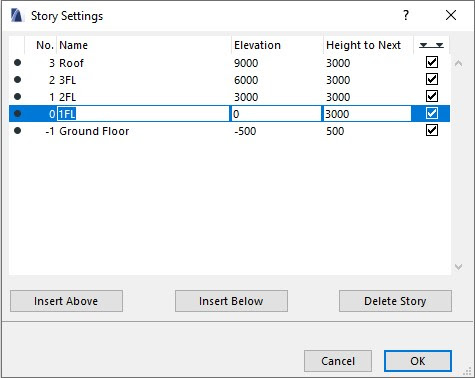
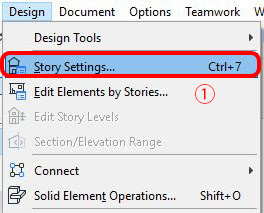
- Go to Design > Story Settings… (Default shortcut: Ctrl + 7)In this panel, you can add or delete stories, adjust story height, and control which levels are visible in elevation or section views.

- Enter the parameters in the settings window:– Insert Above: Add a story above the current one– Insert Below: Add a story below the current one– Delete Story: Remove a story– Name: Set the name of the story– Height to Next: Define the height to the next level– In the last column, uncheck the box if you don’t want that story to appear in elevation or section views.Once finished, click OK.

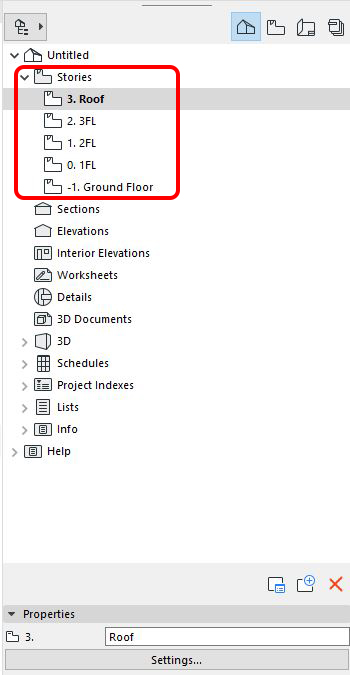
After setting up the floor levels, you’ll notice that the Stories section in the Navigator updates automatically to reflect the changes.