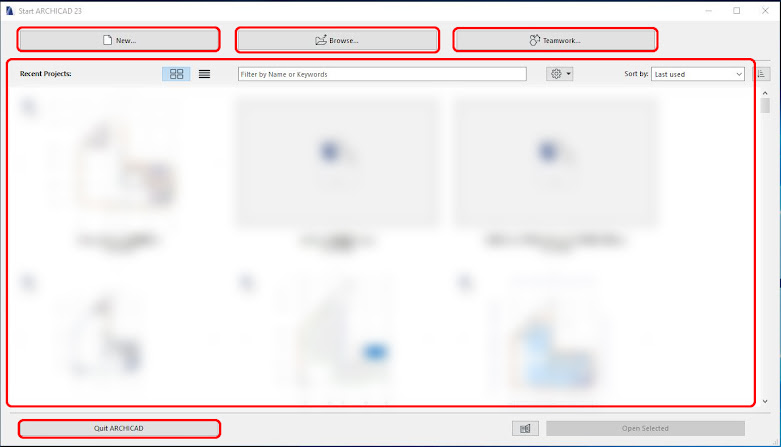
Archicad Interface When you start a new project, the default Archicad interface looks like this: TOOLBARS: This section displays the toolbars. By default, only the Standard Toolbar is visible, but you can show more by right-clicking on the toolbar area and selecting the ones you want. INFO BOX: Displays the basic settings of the selected […]
Practice Archicad for Beginners – This series guides you through creating a simple building project in Archicad, showing how to use the software in the simplest and most accessible way. Designed for beginners, this series helps you get comfortable with Archicad in a short time. By following the lessons, you’ll see that using Archicad is […]

The Section Tool and Elevation Tool in Archicad are essential for creating section and elevation views of your building model.In this lesson, you’ll learn the basic settings and how to generate section and elevation views easily. Section và Elevation Settings The Section Tool and Elevation Tool share nearly identical settings, so this guide covers both […]

Roof Tool – Create Roof Models in Archicad. The Roof Tool in Archicad allows you to create roof models — from simple single-plane roofs to complex multi-surface designs — with full control over geometry and structure. Roof Tool Settings Like other Archicad tools, open the Roof Settings panel to configure the parameters as needed. Roof […]

Slab Tool – The tool used to draw and edit floors and horizontal structural elements in Archicad. Slab Tool Settings Similar to other tools introduced in previous lessons, to open the Slab Tool Settings, select the Slab Tool from the Toolbox and press Ctrl + T (or double-click the Slab icon). |See: Getting Started With […]

Objects in Archicad include both 2D and 3D elements. These Object elements are stored in libraries linked to the project you are working on. Depending on the language version of Archicad you are using, the default Object library may vary. In addition, you can also import external Object libraries into your project. Object Settings Select […]